Requests
A requests checklist for what you need from clients
Most project delays start with something the client still has to send. Requests turn those items into a checklist inside the portal, with due dates, replies and file uploads in one place.
14-day free trial. No card required.
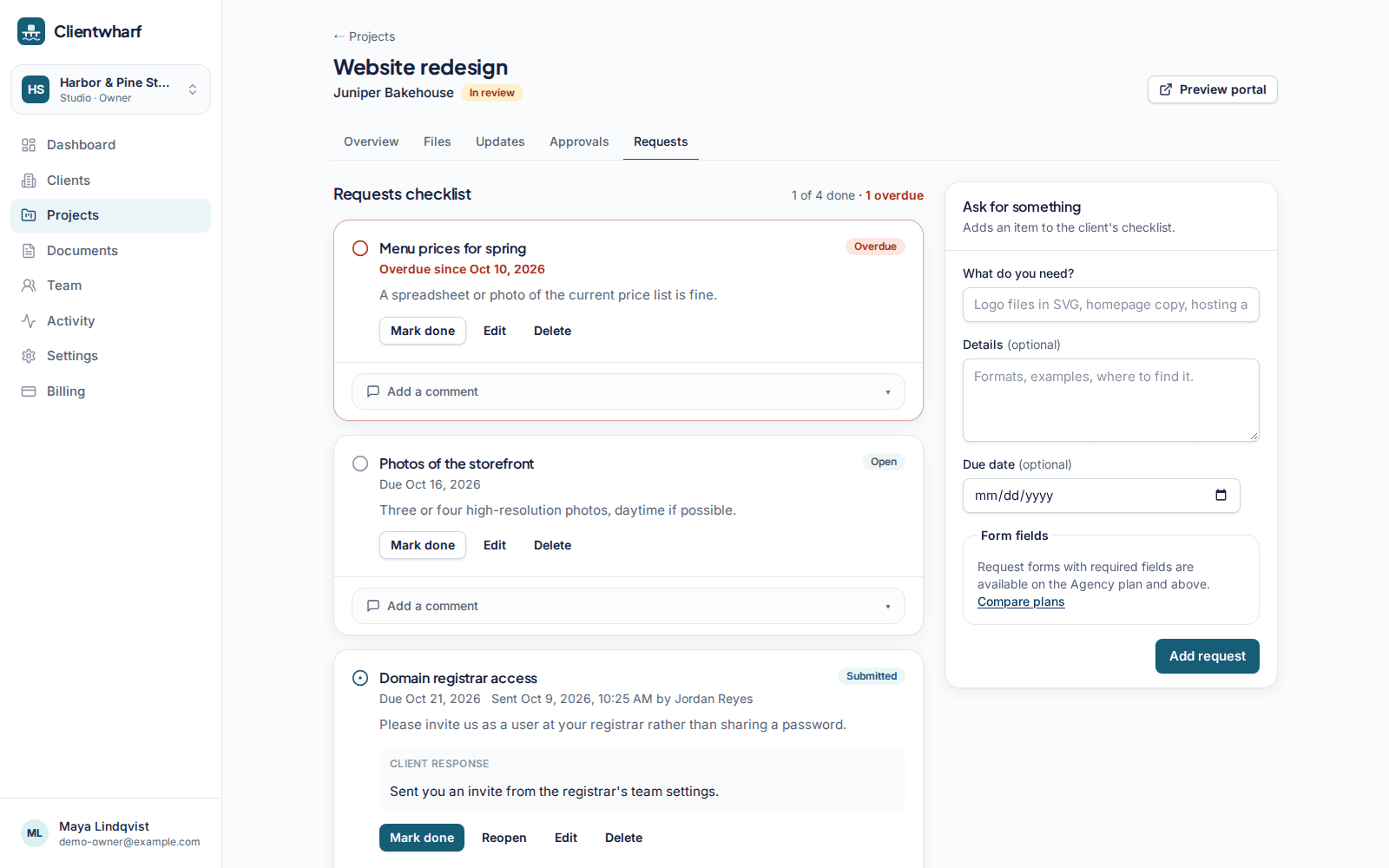
Ask once, in one place
Add a request for each thing you need, such as logo files, page copy or access details, with a short explanation and an optional due date. The client sees the list in their portal.
Clients reply and upload
Clients can answer in text, attach files they have uploaded to the project and mark the request as done. It then shows as submitted; you review it and mark it done, or comment if something is missing.
- Statuses: open, submitted, done
- Files attached to a request are stored with the project
- A reminder email when a request with a due date is overdue
Request forms on Agency and above
On Agency and above, a request can include a short form with text, long text and link fields, some of them required. Useful when you need the same details from every client, such as account logins or brand guidelines links.
Requests: common questions
Can clients upload files for a request?
Yes. Clients upload files to the project and attach them to the request. They are stored with the project, subject to your plan's file size and storage limits.
Do clients get reminded?
Open requests are listed in the client's portal, and clients receive a reminder email when a request with a due date becomes overdue.
Should clients send passwords through a request?
Only if you are comfortable doing so. Requests are private to the client and your team, but a password manager's sharing feature is usually the better choice for credentials.
Related features
Approvals
Ask for sign-off on a specific version and keep a permanent record of the answer.
Updates timeline
Short progress updates your clients can read in order, with comments.
Client portals
A private portal per client with everything that belongs to them, and nothing that doesn't.
Give every client one calm place to find their work
Try Clientwharf free for 14 days. No card required, and nothing is deleted if you decide not to continue.