Approvals
Client approvals with a permanent record
Ask a client to approve a file or deliverable. They choose Approve or Request changes and can add a comment. Clientwharf records who decided, on which version and when, and that record cannot be edited afterwards.
14-day free trial. No card required.
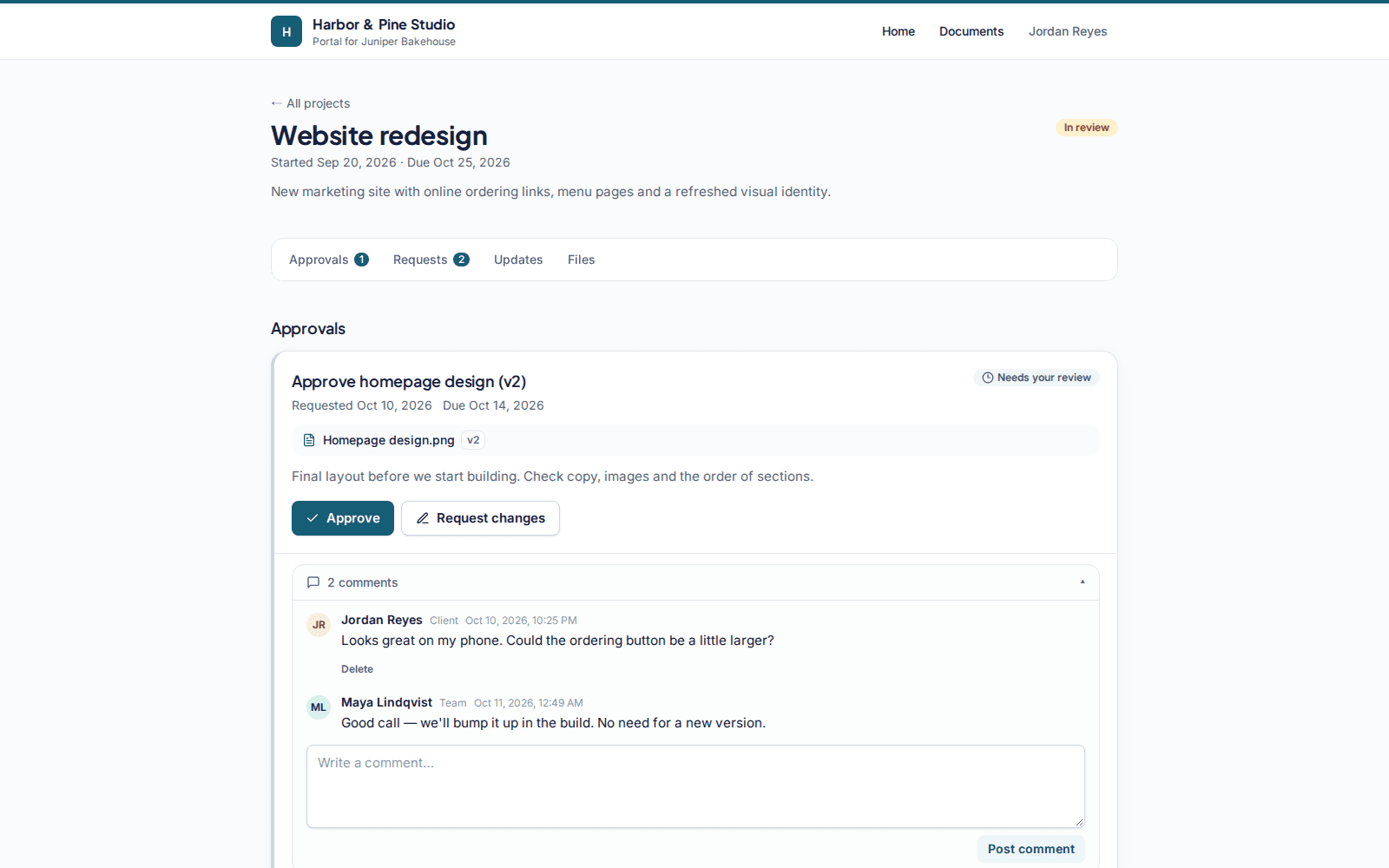
Approval on a specific version
Link an approval to a file, and it points at the exact version you shared. If you upload a new version later, the earlier decision still shows which version it was about.
Two clear answers
Clients see the deliverable, a short note from you and two buttons: Approve or Request changes. Requesting changes needs a comment, so you know what to fix.
- Optional respond-by date on each approval
- Email to the client when an approval is requested, and to your team when it is answered
- Comments on the approval for back-and-forth
A record that does not change
Every decision is stored as a new entry with the person's name and email, the file name and version number, and the date and time. Entries are only ever added, never edited or deleted, so the history stays trustworthy.
Export as PDF
Your team can download the approval record as a PDF for your project files or to attach to a handover email.
Approvals: common questions
Can a client change their answer?
Not on their own. If something changes, your team can request approval again and the client's new decision is added as a new entry. Earlier decisions stay in the record exactly as they were.
What does the approval record include?
The decision, the comment, the name and email of the person who decided, the file name and version number, and the date and time.
Do approvals need to be attached to a file?
No. You can also request approval on a deliverable described in text, such as a plan or a scope summary.
Is this a legally binding e-signature?
No. Approvals are a clear, timestamped record of a client's decision, not an electronic signature service.
Related features
File delivery
Folders, versions, previews and private download links for every deliverable.
Updates timeline
Short progress updates your clients can read in order, with comments.
Requests
A checklist of what you need from the client, with uploads and due dates.
Give every client one calm place to find their work
Try Clientwharf free for 14 days. No card required, and nothing is deleted if you decide not to continue.