File delivery
File delivery with folders, versions and previews
Upload deliverables to a project, organise them in folders and keep every version. Clients preview images and PDFs in the browser and download through private links that expire after a few minutes.
14-day free trial. No card required.
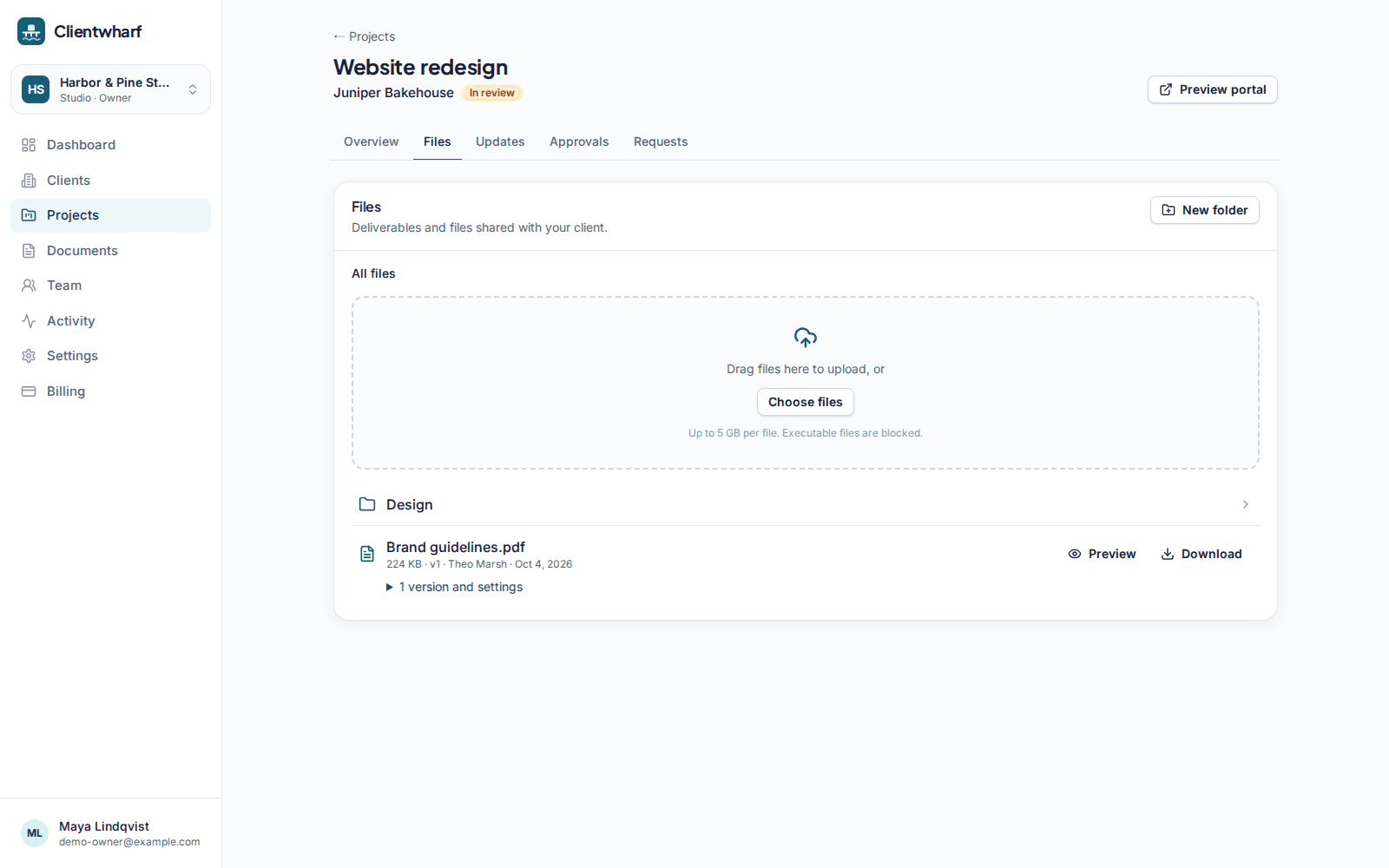
Upload large files without a separate tool
Drag files into a project to upload them. Large files are sent to private storage in parts, so a slow connection or a big video export does not mean starting again from zero.
- Maximum file size per plan, from 500 MB on Solo up to 20 GB
Folders and versions
Group files in folders the way your project is organised. When you upload a revision, it becomes the next version of the same file (v1, v2, v3) and earlier versions stay available, so nobody has to ask which attachment is the latest.
Previews for images and PDFs
Clients can look at images and PDFs in the portal before downloading anything, which makes quick reviews quicker.
Private by default
Files are stored in a private bucket. Only signed-in team members and invited client contacts can reach them, and each download uses a signed link that expires shortly after it is created. There are no public download pages.
Executables blocked
Executable files and scripts (for example .exe, .msi, .bat, .sh, .dmg and .apk) are blocked by default to keep portals a safe place for your clients to download from.
File delivery: common questions
What is the largest file I can upload?
It depends on the plan: Solo: 500 MB · Freelancer Pro: 2 GB · Studio: 5 GB · Agency: 10 GB · Agency Plus: 20 GB · Scale: 20 GB. During the free trial the limit is 500 MB.
Can I share a public download link with someone who isn't invited?
No. Files are only shared with invited client contacts. Download links are signed, short-lived and created for a signed-in person.
Are old versions deleted when I upload a new one?
No. Each upload to the same file becomes a new version and earlier versions remain in the version history.
Which file types are blocked?
Executables and scripts such as .exe, .msi, .bat, .cmd, .ps1, .sh, .jar, .dmg, .pkg, .apk and disk images are blocked by default.
Related features
Approvals
Ask for sign-off on a specific version and keep a permanent record of the answer.
Client portals
A private portal per client with everything that belongs to them, and nothing that doesn't.
Requests
A checklist of what you need from the client, with uploads and due dates.
Give every client one calm place to find their work
Try Clientwharf free for 14 days. No card required, and nothing is deleted if you decide not to continue.