Client portals
A private portal for every client
Each client gets their own portal with the projects, files, updates, approvals and requests that belong to them. Client contacts sign in with a magic link sent to their email, so there is no password for them to create or forget.
14-day free trial. No card required.
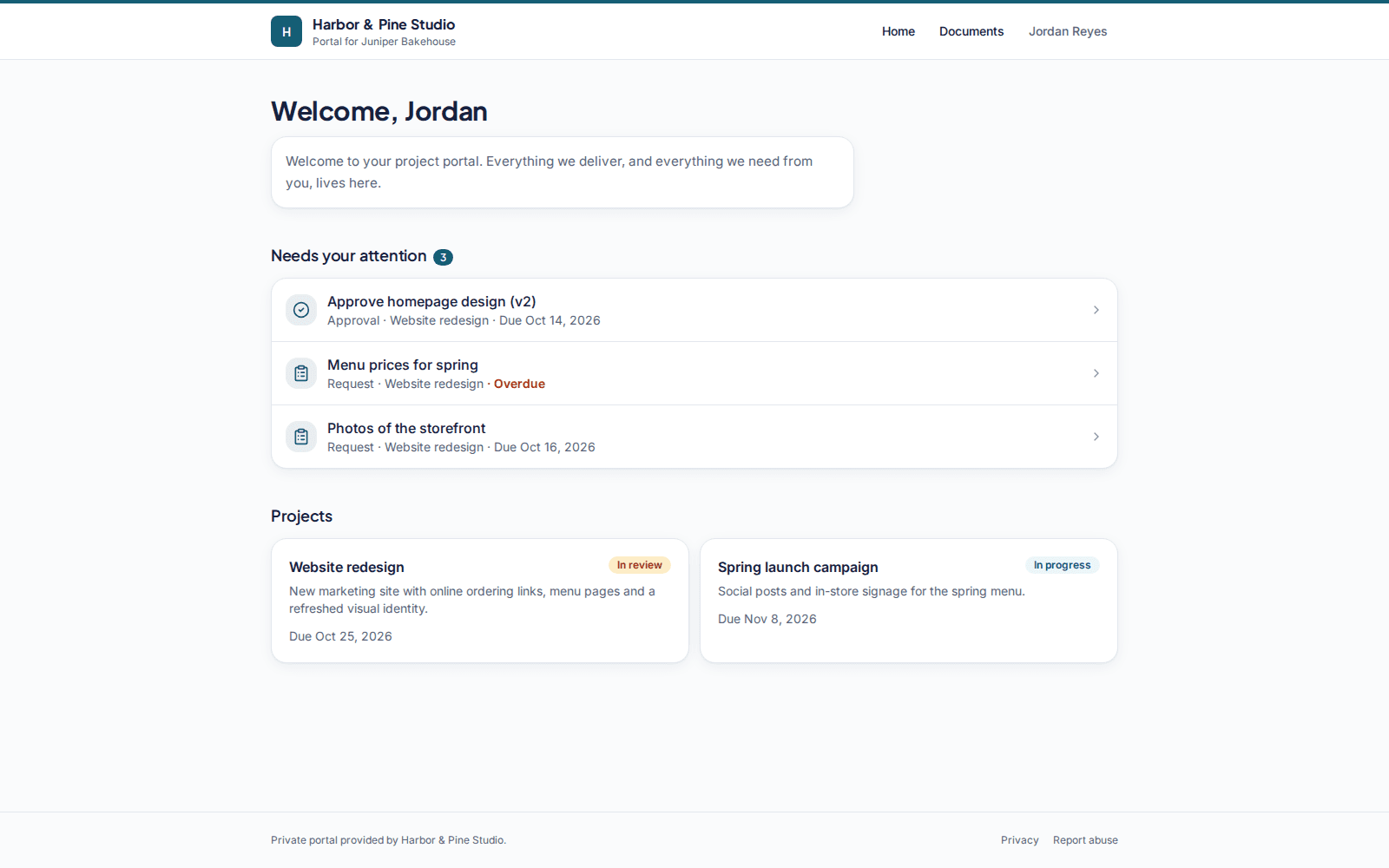
One address per client
Every portal has its own address under your workspace, in the form clientwharf.com/p/your-workspace/client-name. Share it once and your client always knows where the latest work is.
- Projects inside the portal, each with a status, dates and a short description
- A welcome message you write, shown on the portal's home page (with branding, on Freelancer Pro and above)
- Studio plans and above can use a custom portal subdomain; Agency Plus and above can use your own domain
Passwordless sign-in for client contacts
Invite the people you work with by email. They receive a sign-in link that works for a short time, open the portal, and get on with it. You can invite several contacts per client and remove access whenever someone leaves the project.
Everything about the work in one place
Instead of a thread of emails and a folder of drive links, the portal shows the current state of each project: the files, the latest update, what is waiting for approval and what you still need from the client.
- Files with versions and previews
- Updates timeline
- Approvals and requests
- Comments on approvals, updates and requests
Kept apart from everyone else
A client contact can only ever see their own client's portal. Tenant isolation is enforced in the data layer, and links to anything outside a contact's portal return a not-found page rather than revealing that it exists.
Client portals: common questions
Do my clients need to create an account?
No. You invite client contacts by email and they sign in with a magic link. There is no password to set up.
Can a client see another client's portal?
No. Each contact belongs to one client and can only open that client's portal. Requests for anything else return a not-found page.
Can I use my own domain for portals?
Custom portal subdomains are included on Studio and above. A custom domain for portals is included on Agency Plus and above.
What happens to portals if my trial ends without a subscription?
The workspace becomes read-only. Nothing is deleted, and data is kept for at least 30 days so you can subscribe and pick up where you left off.
Related features
File delivery
Folders, versions, previews and private download links for every deliverable.
Approvals
Ask for sign-off on a specific version and keep a permanent record of the answer.
Branding
Your logo and accent colour on every portal, and your own address on higher plans.
Give every client one calm place to find their work
Try Clientwharf free for 14 days. No card required, and nothing is deleted if you decide not to continue.